The Ultimate Guide to Raspberry Pi Hosting: Setup, Tips & Best Practices
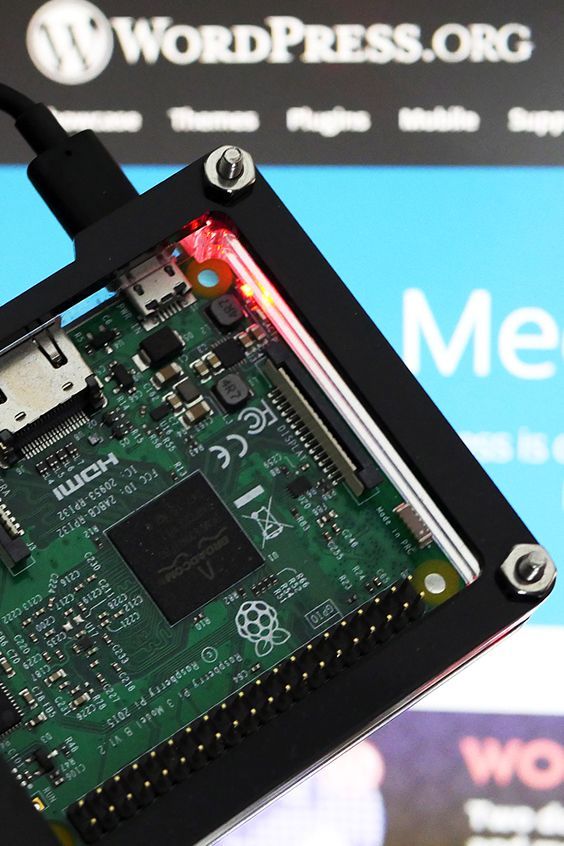
Raspberry Pi hosting has emerged as a compelling solution for individuals and small teams looking to deploy lightweight web services without the overhead of traditional server infrastructure. This compact single-board computer, originally designed for educational purposes, has evolved into a versatile platform capable of running a variety of network services. From personal cloud storage to basic websites, the device offers an accessible entry point into server administration. Its low power consumption and affordability make it particularly attractive for hobbyists and developers testing new applications in a sandbox environment.
Understanding the Capabilities of Raspberry Pi Hosting
While the Raspberry Pi is not a powerhouse, its processing power and memory are sufficient for hosting static websites, lightweight APIs, and background daemons. The true strength lies in its GPIO pins and compact form factor, allowing it to integrate software services with physical hardware projects. Users can transform a small board into a functional server by installing a Linux distribution and configuring the necessary software stacks. This capability blurs the line between a computer and a dedicated appliance, providing a customizable experience that larger servers cannot easily match.
Network Configuration and Accessibility
Setting up Raspberry Pi hosting for external access requires careful consideration of network configuration. Most users will need to forward ports on their home router or utilize tunneling services to bypass NAT restrictions. Security is a primary concern, as the device is often connected directly to the internet. Implementing a firewall, disabling default credentials, and ensuring the operating system is regularly updated are critical steps to protect the hosted services from unauthorized access.


- Static IP assignment to ensure consistent addressing.
- SSH key authentication instead of password login.
- Regular system updates to patch security vulnerabilities.
- Use of reverse proxies for managing multiple services.
Performance Limitations and Optimization Strategies
It is crucial to manage expectations regarding performance when using Raspberry Pi hosting for anything beyond simple tasks. Concurrent users or resource-intensive applications like databases can quickly overwhelm the CPU or exhaust the available RAM. To mitigate these limitations, lightweight software choices are essential. Selecting efficient web servers, avoiding heavy graphical interfaces, and optimizing code can help the hardware deliver a responsive experience despite its physical constraints.
Use Cases and Real-World Applications
One of the most popular applications for Raspberry Pi hosting is running a personal home server. Individuals use the platform to host internal websites, manage media libraries with software like Jellyfin, or act as a network-wide ad blocker. Developers frequently utilize these boards as continuous integration servers or to host documentation for private projects. The flexibility of the platform means the use cases are limited primarily by the user's imagination and technical skill level.


| Use Case | Recommended Software | Difficulty Level |
|---|---|---|
| Static Website Host | Nginx, Hugo, Jekyll | Easy |
| Media Streaming | Plex, Jellyfin | Medium |
| Network Monitoring | Zabbix, Pi-hole | Advanced |
The Community and Support Ecosystem
Another significant advantage of Raspberry Pi hosting is the robust community surrounding the platform. Countless forums, tutorials, and open-source projects provide guidance for virtually every configuration challenge. This collective knowledge base lowers the barrier to entry for newcomers and offers troubleshooting assistance for complex setups. The availability of pre-built images and one-click installers further streamlines the process of deploying specific applications.
Ultimately, Raspberry Pi hosting serves as a bridge between theoretical knowledge and practical implementation. It empowers users to understand the inner workings of network services without investing in expensive hardware. For those willing to learn the intricacies of server management, the device offers a sustainable and educational long-term project that is both functional and rewarding.




Related Articles

The Ultimate Guide to Dial & Digital Caliper Calibration: Precision Tips & Best Practices
Accuracy in precision measurement is rarely accidental; it is the direct result of a disciplined calibration culture. A dial or digital caliper serves as the...

The Ultimate Guide to Proper Ladder Angle: Safety Tips & Best Practices
Setting up a ladder seems straightforward, but a small error in positioning can turn a simple task into a serious safety hazard. The most critical and often...

The Ultimate Guide to Gugh Sped Steel Acid Etching: Techniques, Tips & Best Practices
Gugh sped steel acid etching represents a critical process in modern metal finishing, enabling the creation of precise surface textures and chemical...

The Ultimate Guide to Dispose of Waste Properly: Eco-Friendly Tips & Best Practices
Proper waste disposal is one of the most impactful daily habits that directly influences public health, environmental sustainability, and community aesthetics...

The Ultimate Guide to Squirrel Board Trim Nails: Expert Tips & Best Practices
The humble squirrel board trim nail is the secret weapon for achieving clean, professional-grade finishing on your next woodworking project. Often overlooked...

Rain Bird RS-1: Ultimate Guide to Installation, Troubleshooting & Best Practices
The Rain Bird RS-1 represents a specific model designation within the Rain Bird irrigation component portfolio, typically referring to a particular rotor-type...